> ## Documentation Index
> Fetch the complete documentation index at: https://docs.preprod.world/llms.txt
> Use this file to discover all available pages before exploring further.
# Set up notifications
The [Gcore Hosting Portal](https://hosting.gcore.com/billmgr) sends notifications for financial events, newsletters, service updates, and support ticket responses. Each user account has its own notification settings — changes made for one user do not affect others.
To configure notifications for a specific user, log in to the Hosting Portal as that user. [Adding users](/hosting/account-management/users/add-a-new-user-to-your-account) describes how to create additional accounts; [user rights](/hosting/account-management/users/configure-user-rights) controls access to **User settings**.
1. In the **Client** section of the sidebar, click **User settings**.
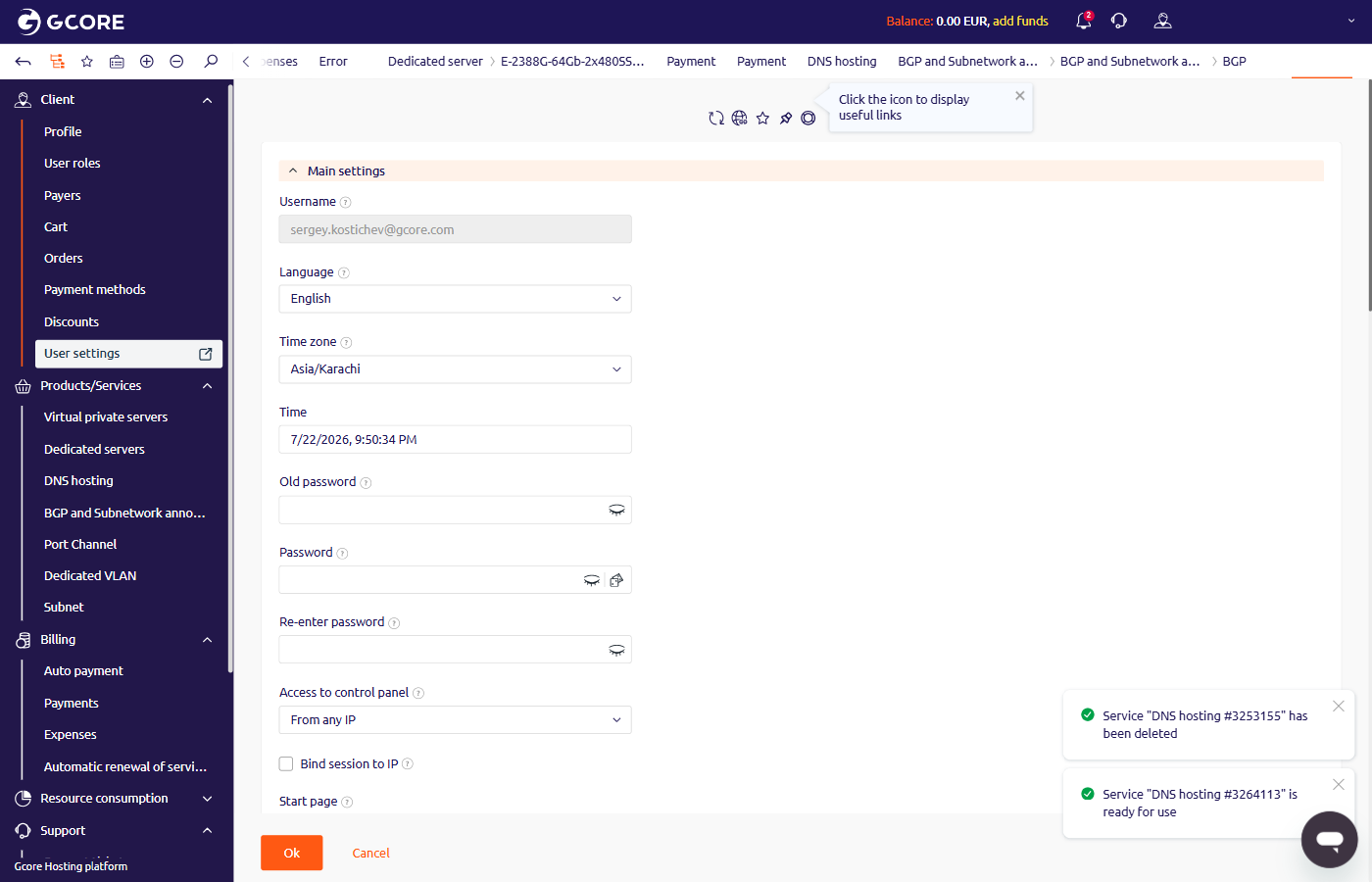 2. Scroll to the **Subscribe to notifications** section at the bottom of the page.
3. In the **E-mail for notifications** field, enter the email address where notifications will be sent.
4. Select the notification types:
* **Enable Geoip notifications** — alerts on logins from unfamiliar locations.
* **Successful login notification** — confirmation email on each successful login.
* **Notifications from DNSSEC** — alerts on DNSSEC configuration changes.
5. In the notification table, select the delivery channels (Email, Messengers, SMS) for each category:
* **Financial notifications** — invoices, payments, and billing alerts.
* **Newsletters** — product updates and announcements.
* **Service notifications** — service status changes, renewals, and end-of-term reminders.
* **Support center notifications** — replies to support tickets.
2. Scroll to the **Subscribe to notifications** section at the bottom of the page.
3. In the **E-mail for notifications** field, enter the email address where notifications will be sent.
4. Select the notification types:
* **Enable Geoip notifications** — alerts on logins from unfamiliar locations.
* **Successful login notification** — confirmation email on each successful login.
* **Notifications from DNSSEC** — alerts on DNSSEC configuration changes.
5. In the notification table, select the delivery channels (Email, Messengers, SMS) for each category:
* **Financial notifications** — invoices, payments, and billing alerts.
* **Newsletters** — product updates and announcements.
* **Service notifications** — service status changes, renewals, and end-of-term reminders.
* **Support center notifications** — replies to support tickets.
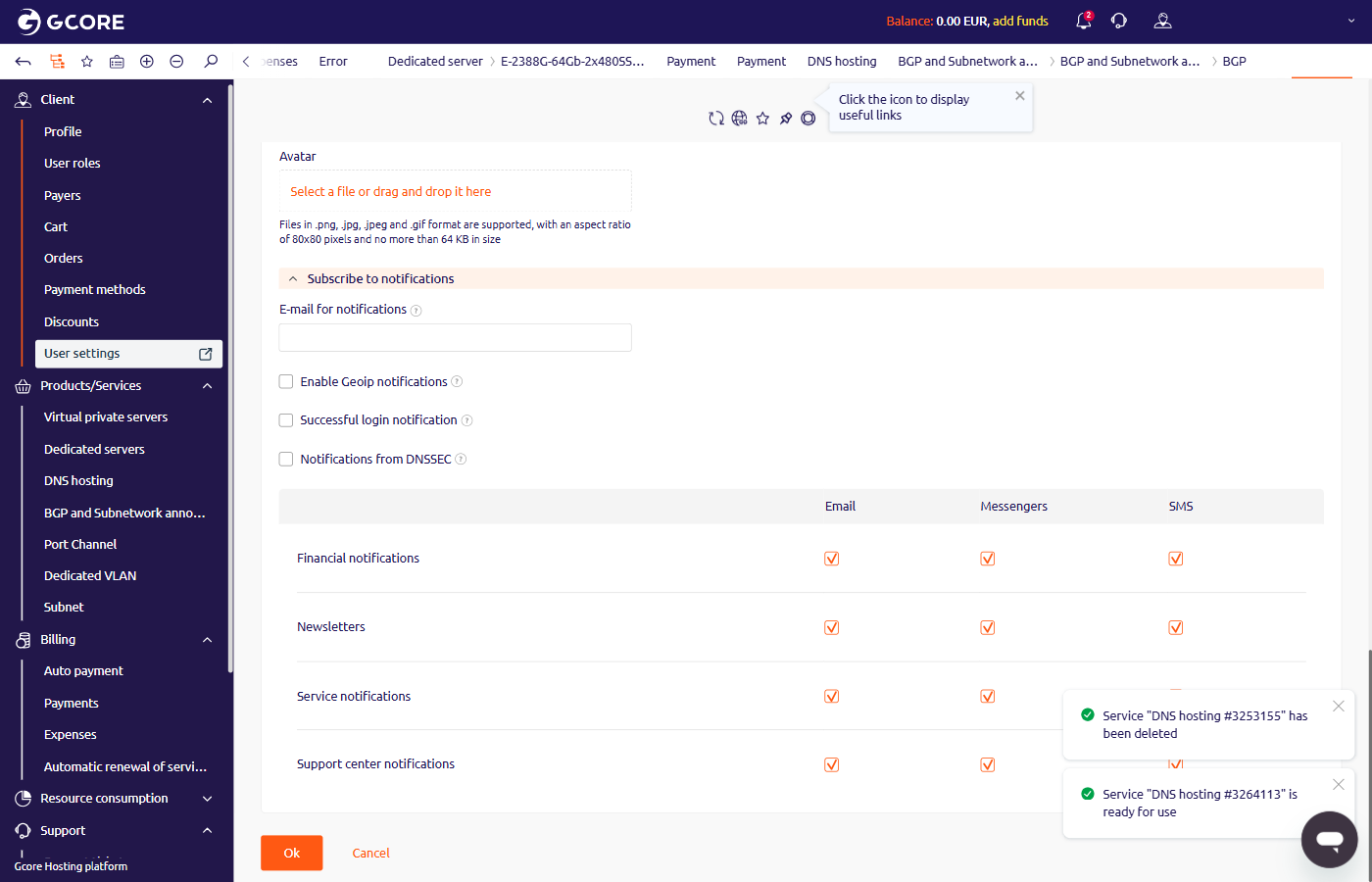 6. Click **Ok** to save.