> ## Documentation Index
> Fetch the complete documentation index at: https://docs.preprod.world/llms.txt
> Use this file to discover all available pages before exploring further.
# Connect dedicated servers into a VLAN
A VLAN (virtual local area network) connects servers on a common virtual network at the link layer, regardless of their physical location or which switches they are connected to.
VLAN support is not enabled by default. To enable it for an account, [contact support](/hosting/contact-our-technical-support).
## Assign a VLAN to a switch port
VLAN membership is configured per switch port. To put two or more servers into the same VLAN, assign the same VLAN to a switch port on each server. To start, [open DCImanager](/hosting/dedicated-servers/manage/log-in-to-dcimanager) for the target server.
In the **Servers** list, click the server name to expand its row.
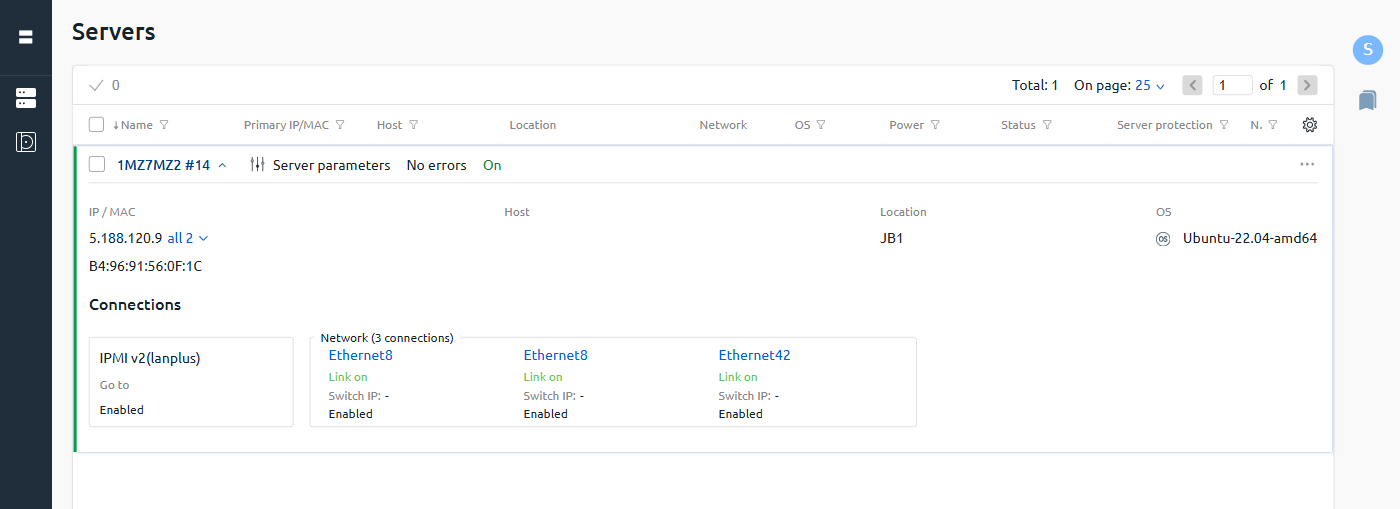 Under **Connections**, click the switch port to configure (for example, **Ethernet8**). The port settings panel opens on the right.
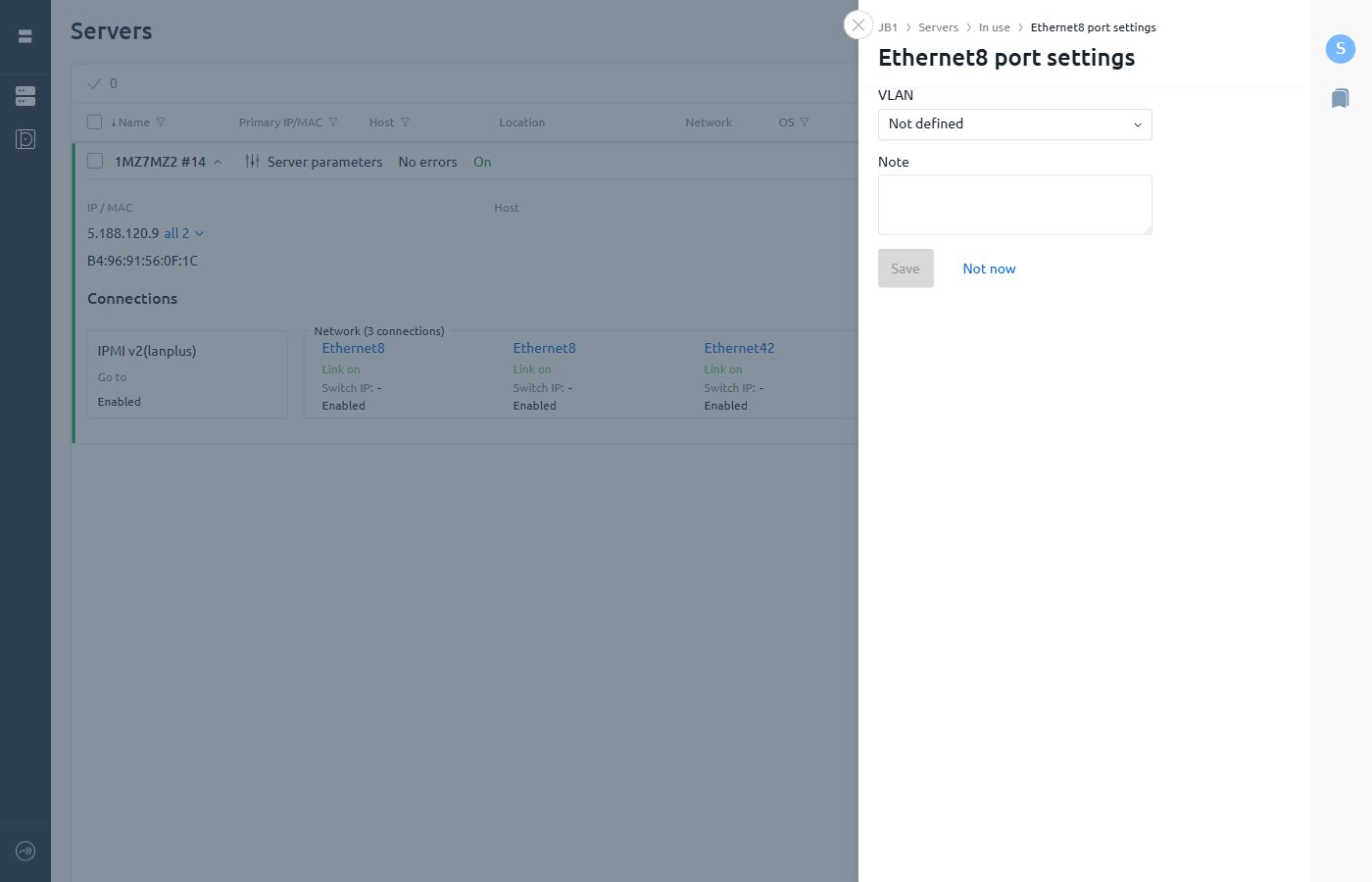 In the **VLAN** dropdown, select an existing VLAN or select **New VLAN**. For a new VLAN, enter a name when prompted.
Optionally, add a **Note** to describe the VLAN's purpose.
Click **Save**.
To add more servers to the same VLAN, repeat the steps above for each server and select the same VLAN from the dropdown.
In the **VLAN** dropdown, select an existing VLAN or select **New VLAN**. For a new VLAN, enter a name when prompted.
Optionally, add a **Note** to describe the VLAN's purpose.
Click **Save**.
To add more servers to the same VLAN, repeat the steps above for each server and select the same VLAN from the dropdown.