> ## Documentation Index
> Fetch the complete documentation index at: https://docs.preprod.world/llms.txt
> Use this file to discover all available pages before exploring further.
# Reboot a server
A Dedicated Server can be rebooted from two interfaces: the [Gcore Hosting Portal](https://hosting.gcore.com/billmgr) and DCImanager.
## Hosting Portal
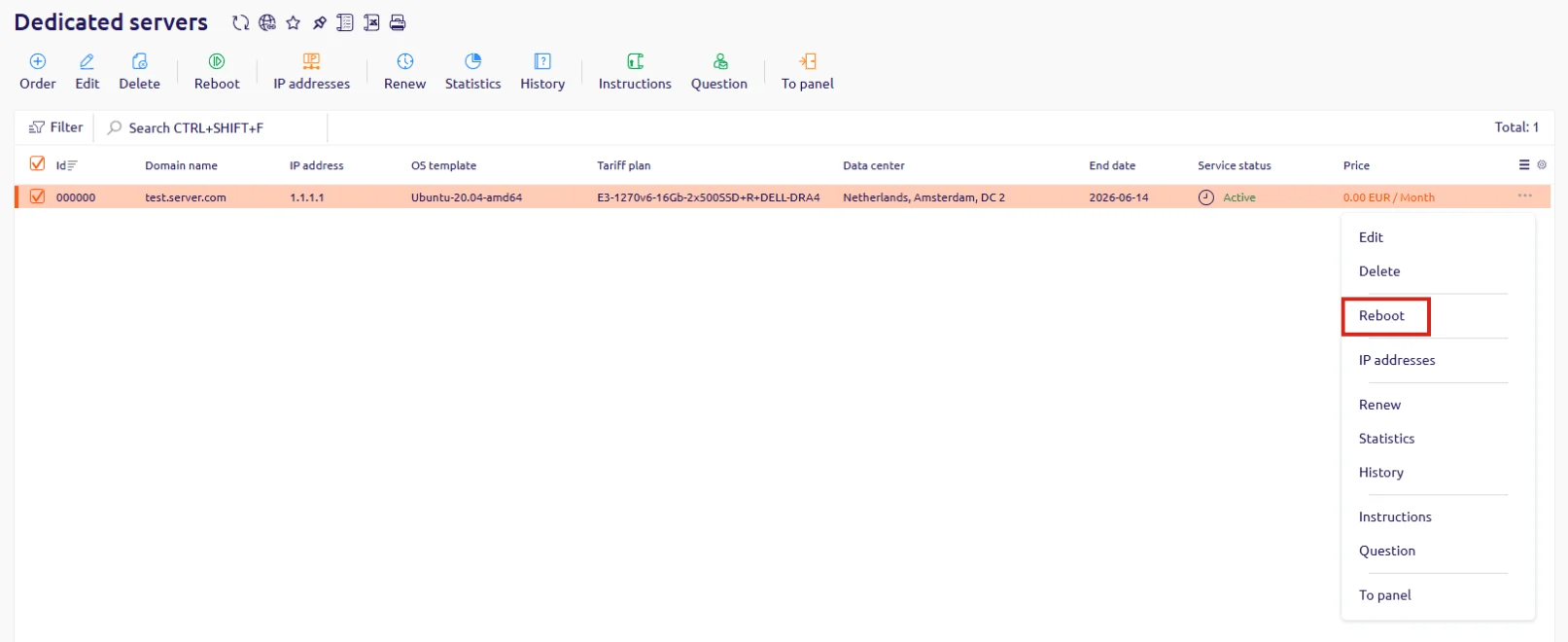
Use the context menu in the server list to trigger a reboot.
1. In the Hosting Portal, navigate to **Dedicated servers**.
2. Locate the server in the list, click **...** at the end of its row, and select **Reboot**.
 ## DCImanager
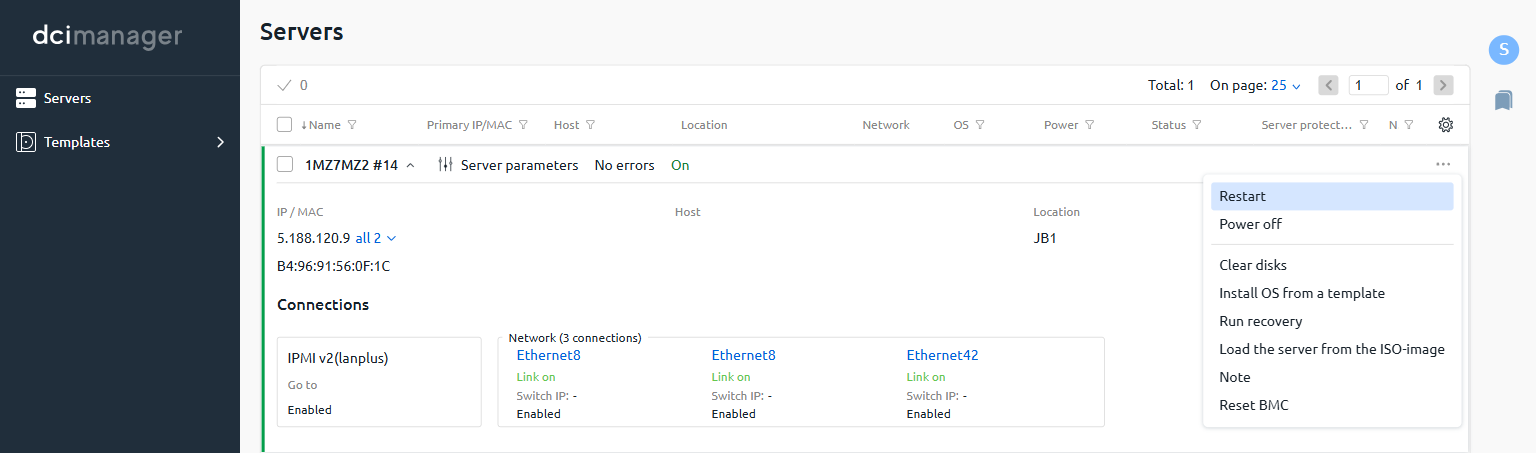
Use the context menu in the server list to trigger a restart.
1. In DCImanager, navigate to **Servers**.
2. Locate the server in the list, click **...** at the end of its row, and select **Restart**.
## DCImanager
Use the context menu in the server list to trigger a restart.
1. In DCImanager, navigate to **Servers**.
2. Locate the server in the list, click **...** at the end of its row, and select **Restart**.