> ## Documentation Index
> Fetch the complete documentation index at: https://docs.preprod.world/llms.txt
> Use this file to discover all available pages before exploring further.
# Order a dedicated server
Select a data center and server configuration, set the order parameters, and complete payment. The server is typically ready within 15 minutes to 3 hours after payment.
## Tariff selection
Tariffs are available in two places: the [Gcore Hosting Portal](https://hosting.gcore.com/billmgr) and the [Gcore dedicated servers catalog](https://gcore.com/hosting/dedicated). Both provide the same list of servers.
In the Hosting Portal, use the **Data center** filter to select a location. In the catalog, use the configurator to filter servers by technical characteristics.
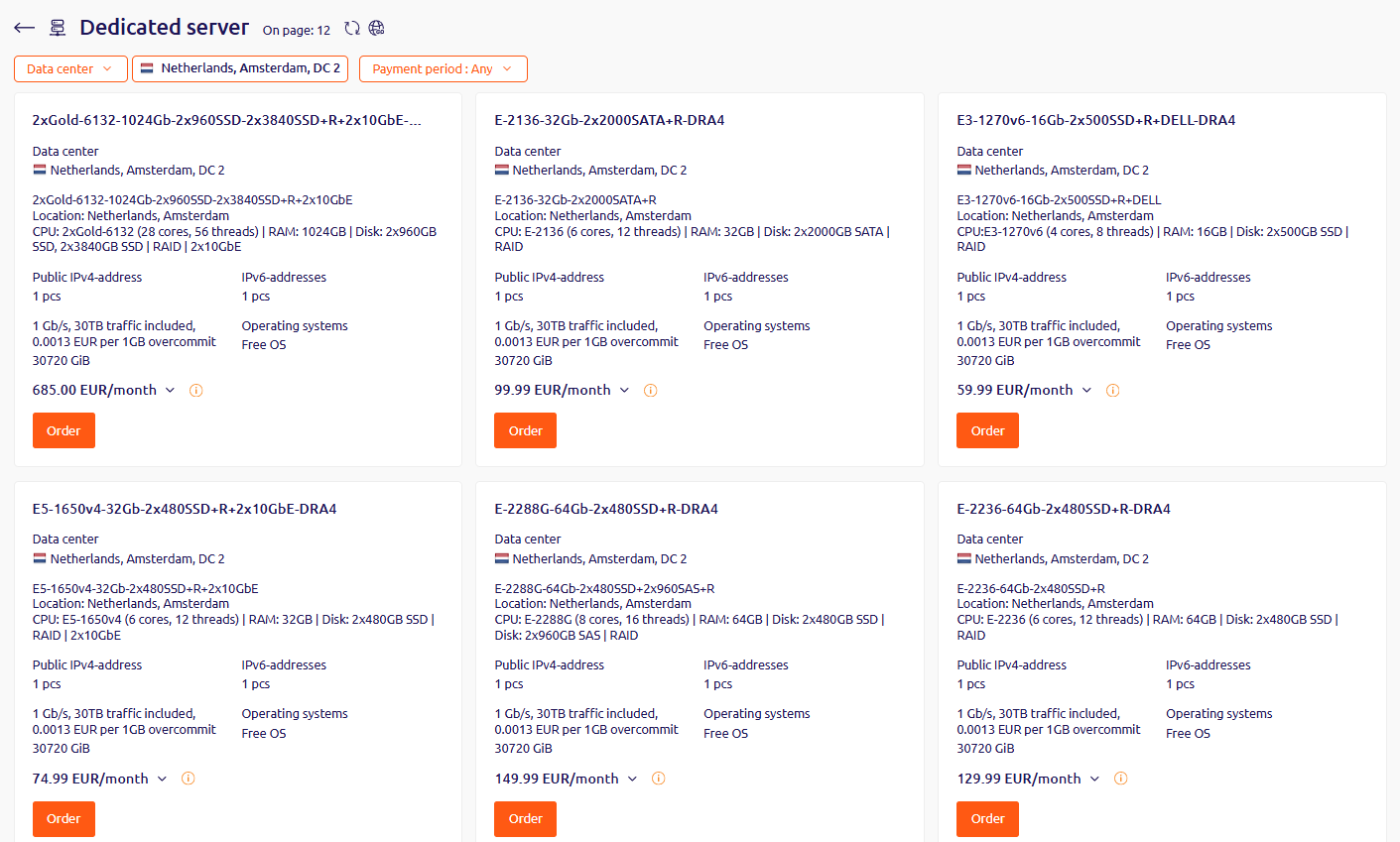
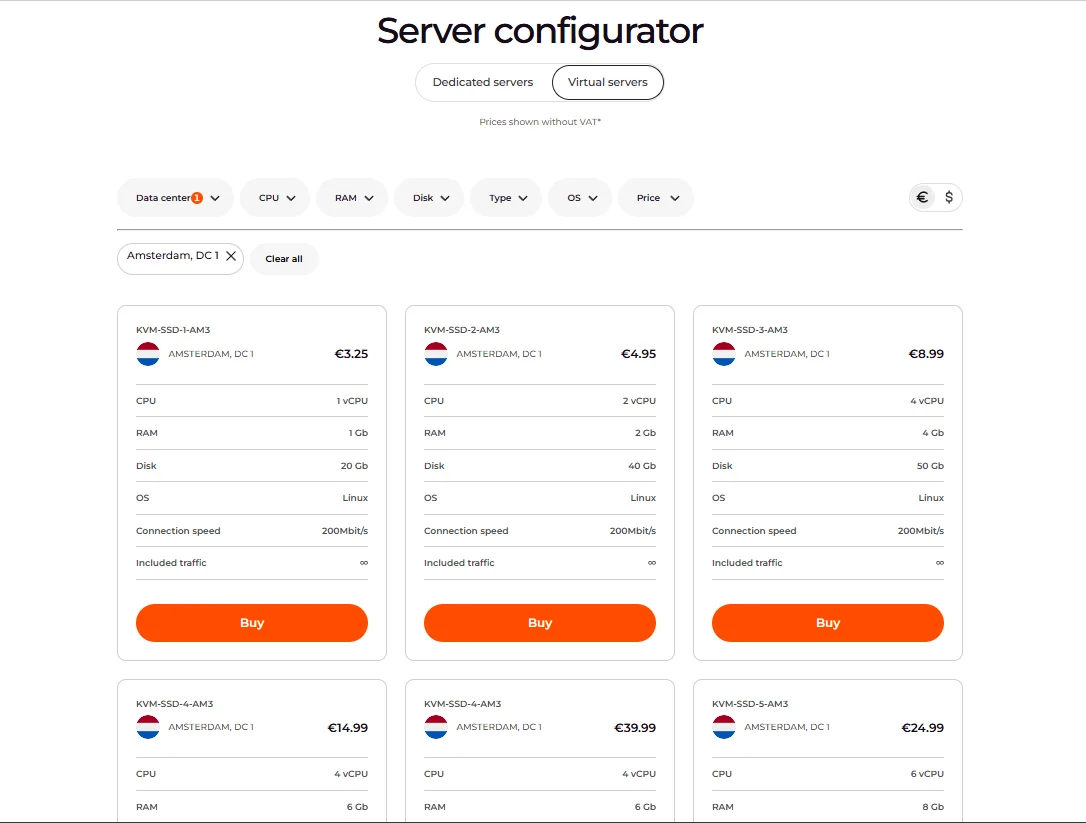 Select the preferred data center and tariff, then click **Order** (Hosting Portal) or **Buy** (catalog).
If none of the available tariffs fit the required configuration, [contact support](/hosting/contact-our-technical-support) with the number of servers needed and the desired configuration.
To order servers in multiple data centers, create a separate order for each data center.
## Order parameters
The service order page provides the following configuration options:
Select the preferred data center and tariff, then click **Order** (Hosting Portal) or **Buy** (catalog).
If none of the available tariffs fit the required configuration, [contact support](/hosting/contact-our-technical-support) with the number of servers needed and the desired configuration.
To order servers in multiple data centers, create a separate order for each data center.
## Order parameters
The service order page provides the following configuration options:
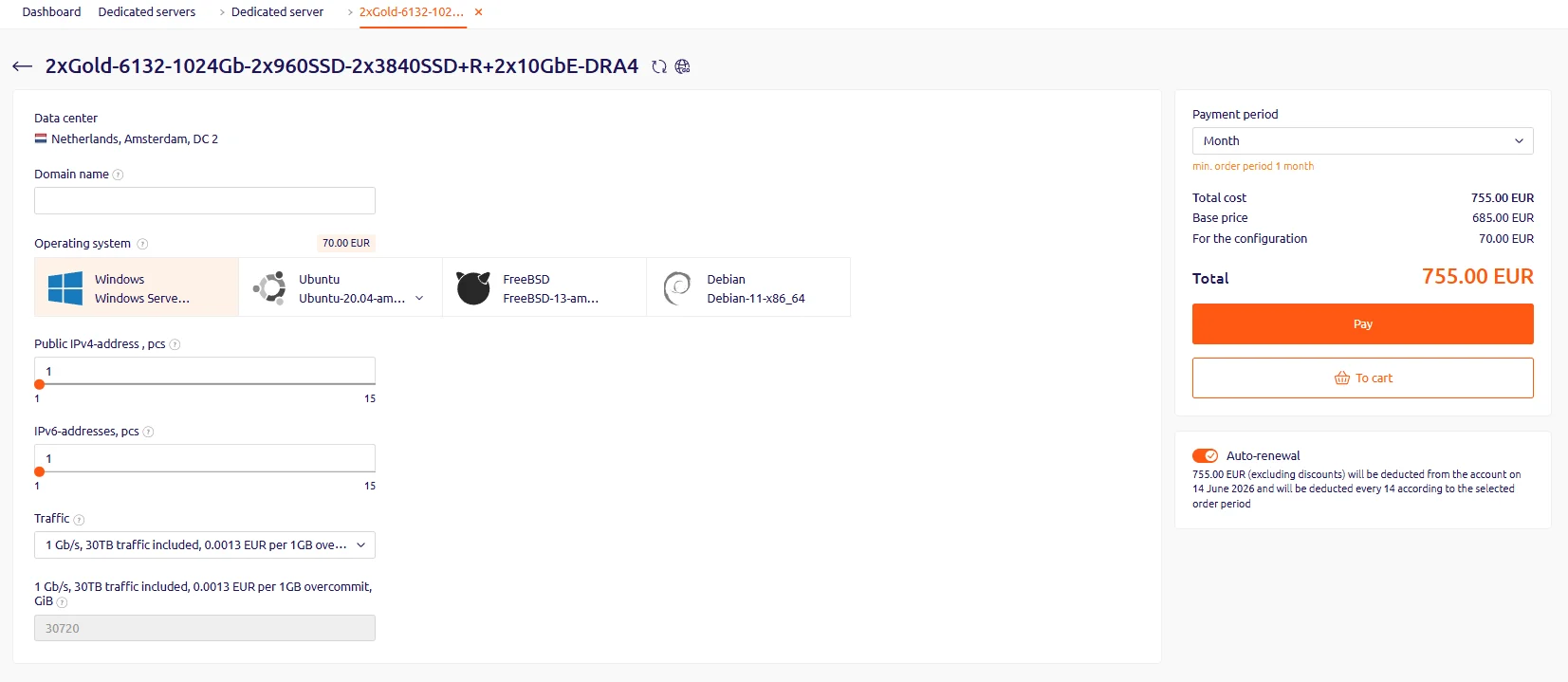 | Parameter | Description |
| --------------------------- | ------------------------------------------------------------------------------------------------- |
| **Domain name** | Enter a domain name for the server |
| **Operating system** | Select from the available list. It can be reinstalled later from a template or a custom ISO image |
| **Traffic** | Select the included traffic package (Dedicated Servers only) |
| **Additional IP addresses** | Order up to 15 IPv4/IPv6 addresses for a Dedicated Server, or up to 10 for a virtual one |
KVM-SSD-1 servers support only three additional IPs of each type.
## Payment
Click **Add to cart** to proceed to the cart, then click **Pay**. Select a payment method from the available options and complete the payment. The purchased server will appear in the **Products/Services** section.
## Activation
After payment, the server enters activation mode and becomes available within 15 minutes to 3 hours.
If the server is not activated after 3 hours, [contact support](/hosting/contact-our-technical-support).
## Custom server configurations
If none of the available configurations meet the requirements, [contact support](/hosting/contact-our-technical-support) to discuss a custom server configuration.
| Parameter | Description |
| --------------------------- | ------------------------------------------------------------------------------------------------- |
| **Domain name** | Enter a domain name for the server |
| **Operating system** | Select from the available list. It can be reinstalled later from a template or a custom ISO image |
| **Traffic** | Select the included traffic package (Dedicated Servers only) |
| **Additional IP addresses** | Order up to 15 IPv4/IPv6 addresses for a Dedicated Server, or up to 10 for a virtual one |
KVM-SSD-1 servers support only three additional IPs of each type.
## Payment
Click **Add to cart** to proceed to the cart, then click **Pay**. Select a payment method from the available options and complete the payment. The purchased server will appear in the **Products/Services** section.
## Activation
After payment, the server enters activation mode and becomes available within 15 minutes to 3 hours.
If the server is not activated after 3 hours, [contact support](/hosting/contact-our-technical-support).
## Custom server configurations
If none of the available configurations meet the requirements, [contact support](/hosting/contact-our-technical-support) to discuss a custom server configuration.