> ## Documentation Index
> Fetch the complete documentation index at: https://docs.preprod.world/llms.txt
> Use this file to discover all available pages before exploring further.
# Cloud service management
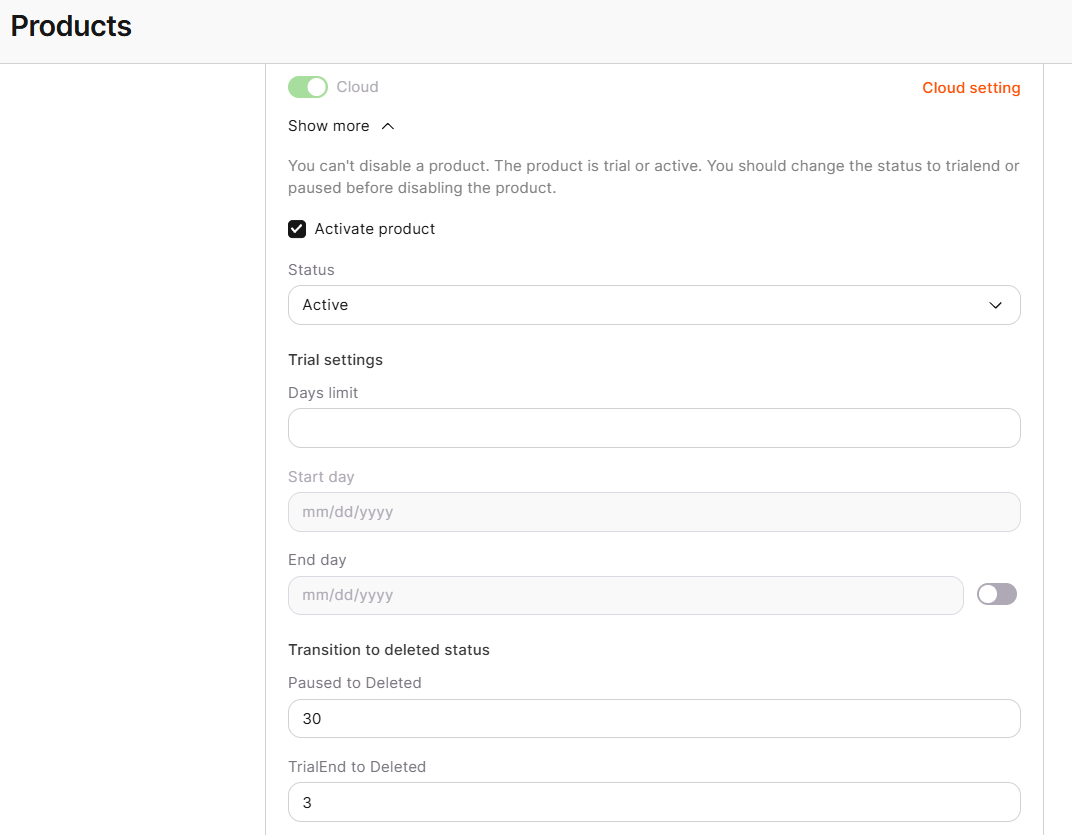
Cloud activates for a customer through the same **Products** tab workflow as every other product, covered in [CDN service management](/reseller-support/cdn-service-management): enabling the product on the account, then setting the **Activate product** checkbox and trial settings on Cloud's own tab. Cloud has no additional reseller-specific settings beyond that generic flow; the one behavior specific to it is how a customer's quota increase request is handled.
 ## Quota increase requests
When a customer's usage would exceed an assigned Cloud quota, for example when creating more instances than the account allows, the Customer Portal shows a **Quota Increase Required** dialog, and the customer submits the request by clicking **Send quota request**, the same [quota management](/cloud/getting-started/request-a-quota-increase) flow used outside reselling. Requests are reviewed by the operations team.
## Quota increase requests
When a customer's usage would exceed an assigned Cloud quota, for example when creating more instances than the account allows, the Customer Portal shows a **Quota Increase Required** dialog, and the customer submits the request by clicking **Send quota request**, the same [quota management](/cloud/getting-started/request-a-quota-increase) flow used outside reselling. Requests are reviewed by the operations team.