

This article covers Basic protection for Gcore-hosted resources and Advanced protection for customer networks onboarded through Generic Routing Encapsulation (GRE). Basic protection is applied automatically to all Gcore-hosted resources with no enrollment required. Advanced protection is a paid service activated through the GRE-based onboarding flow.Bare Metal servers and dedicated servers are not covered here; they use separate procedures with different specifications and pricing:
Protection modes
The two modes differ in detection speed, traffic coverage, and cost.Detection times apply to network protection. Advanced DDoS Protection for Bare Metal servers and dedicated servers detects attacks within 5 seconds.
Basic protection
Basic protection is applied automatically to all Gcore-hosted resources. No additional enrollment or network submission is required.Access control list (ACL) rules
Basic protection uses predefined ACL rules to block the following traffic types:- Reflection attacks: DNS, NTP, SSDP, MSSQL, LDAP, SNMP, CharGen, Memcache, Echo, RIP, ARMS
- Fake source IP attacks:
0.0.0.0/32,127.0.0.0/8,192.0.2.0/24,224.0.0.0/3,10.0.0.0/8,172.16.0.0/12,192.168.0.0/16
Null-routing
When Basic protection detects a DDoS attack, the system temporarily blocks the targeted IP address. This mechanism is known as null-routing: the targeted IP address is protected from attack traffic but becomes unreachable from the internet for 12 hours. To keep the service available during an attack, upgrade to Advanced protection.Advanced protection
Advanced protection keeps the TMS active at all times, including when no attack is underway, so filtering starts the moment traffic turns malicious instead of only after an attack begins. Activate Advanced protection in the Gcore Customer Portal using the self-service setup flow. Start with service activation, which covers plan activation, network submission, Network Operations Center (NOC) review, and network configuration.Allowlists
IP addresses added to an allowlist are treated as trusted resources. For Enterprise customers, allowlisted IPs bypass DDoS Protection analysis entirely and are not inspected by TMS. For customers on public plans, allowlisted IPs remain subject to DDoS traffic filtering.DDoS attack statistics
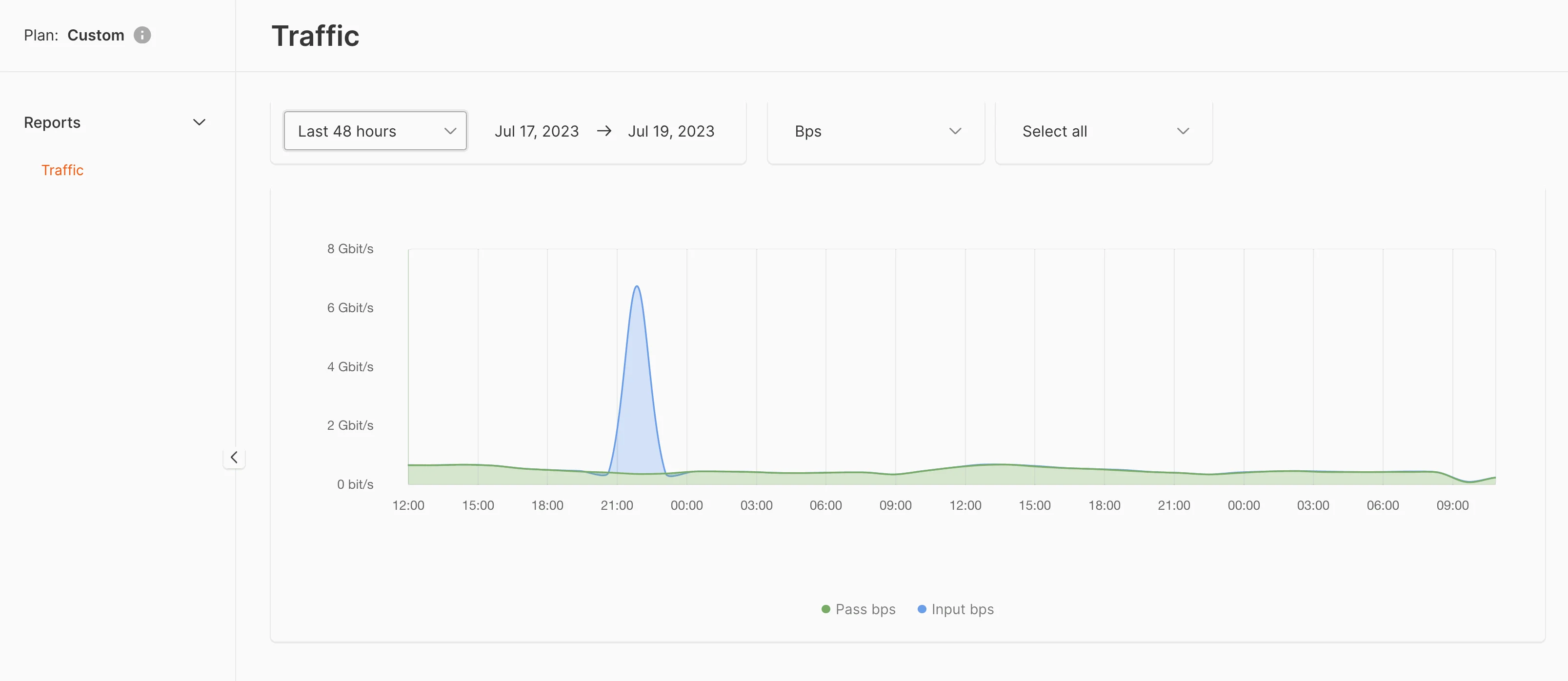
The DDoS attack statistics dashboard provides a live overview of traffic on protected resources. Filter by data center, time interval, and traffic type. Three traffic categories are displayed:- Input — all traffic received before filtering
- Dropped — traffic blocked by TMS as malicious
- Passed — clean traffic forwarded to the protected IP address
bits_95 and packets_95). The 95th percentile of clean traffic volume is the billing metric for the Advanced protection service. For the applicable measurement period and billing rules, see Plan activation.
Pricing
Advanced network protection pricing depends on the plan tier and the data center location.- Plan tier. Plan activation lists the available tiers — pay as you go (PAYG), Start, Pro, and Pro+ — based on the clean traffic volume and number of network prefixes to protect.
- Data center location. Prices vary by data center. Contact the Gcore sales team for pricing at a specific location.