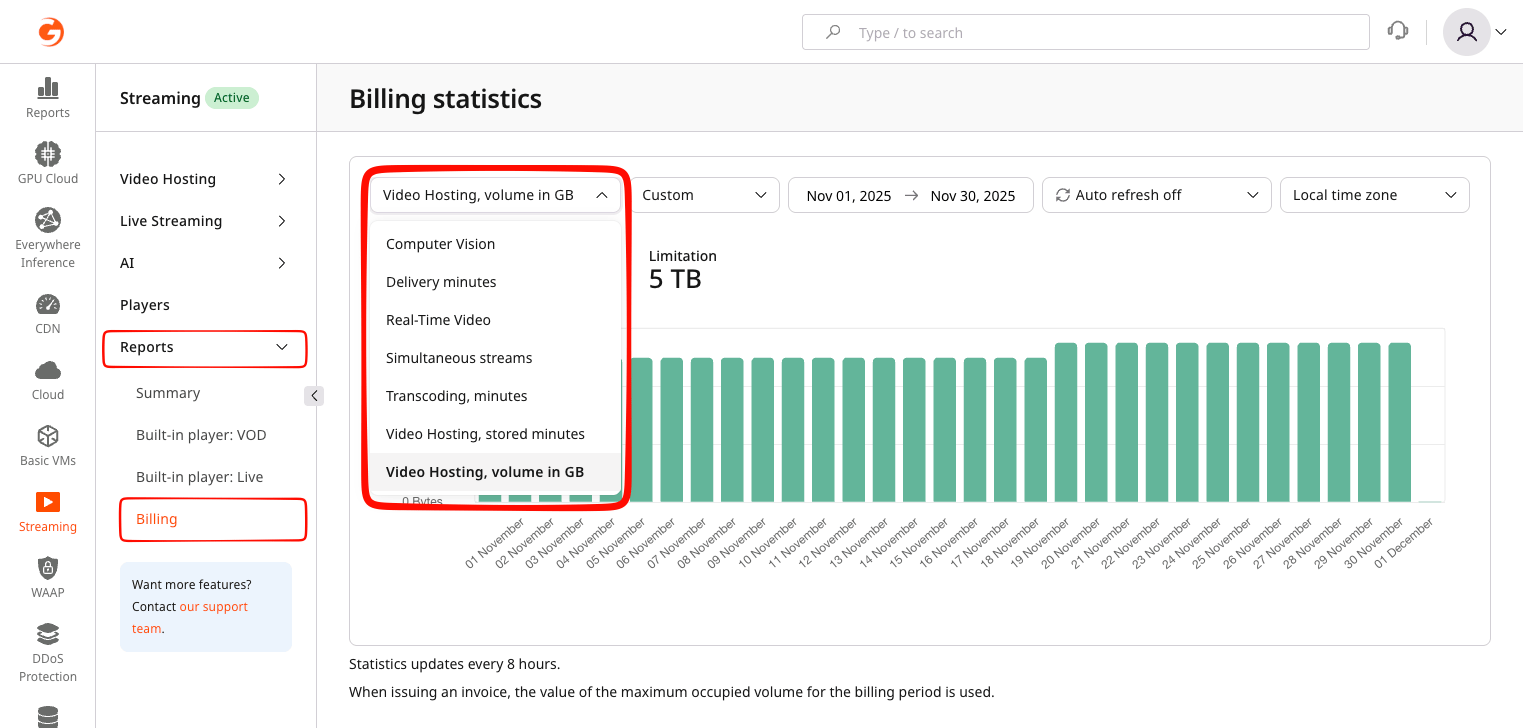
Choose a report
Some reports may be unavailable if the corresponding service is not enabled for the account.
How usage is calculated
Enterprise plans may use custom billing terms or accrual models. Where applicable, the report behavior described below may differ according to the signed service order.
Accumulated usage
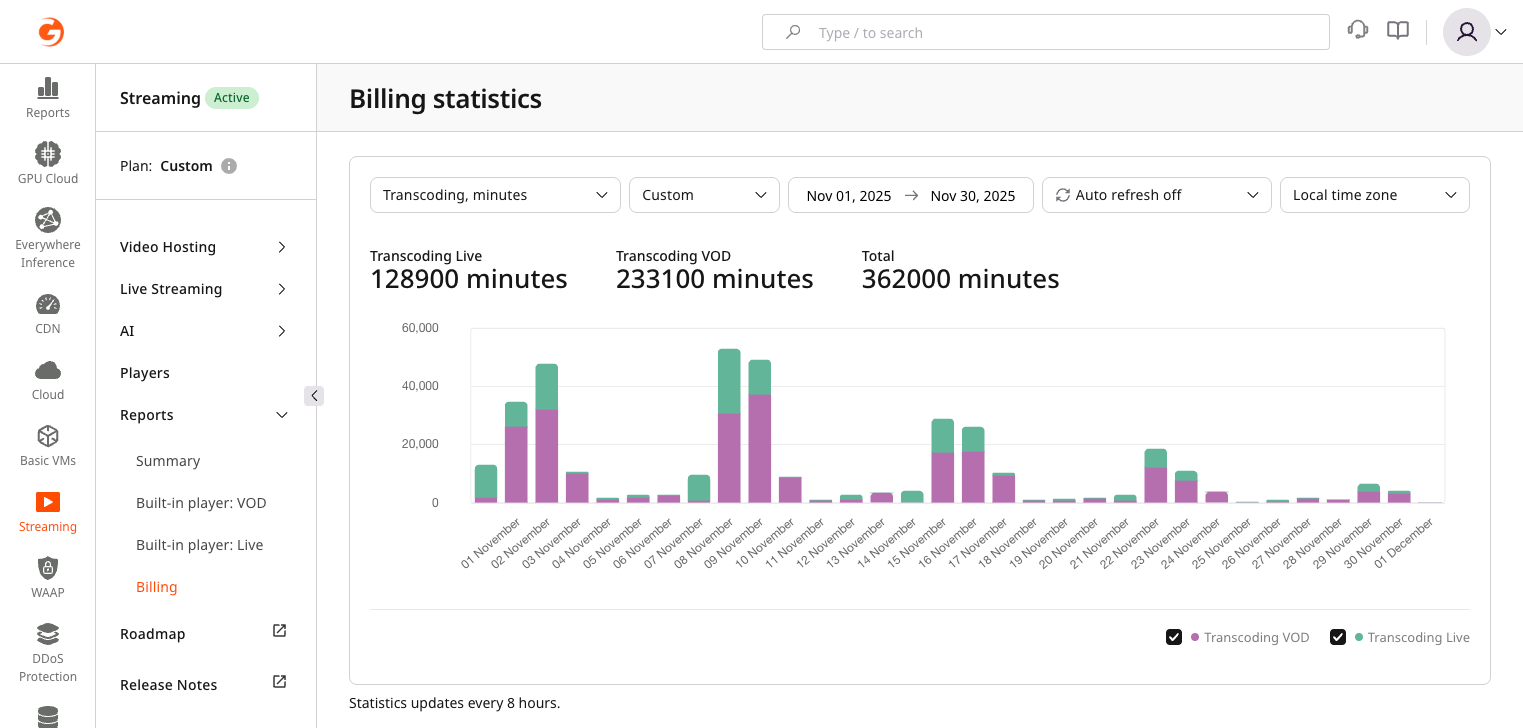
Computer Vision, Delivery, and Transcoding reports accumulate usage over the billing month. The monthly total is used for billing. Computer Vision tracks minutes processed by AI services such as speech recognition and content moderation. The report is available only when AI services are enabled. Delivery minutes separates live and VOD delivery for analysis, while the invoice combines them into one delivery line item.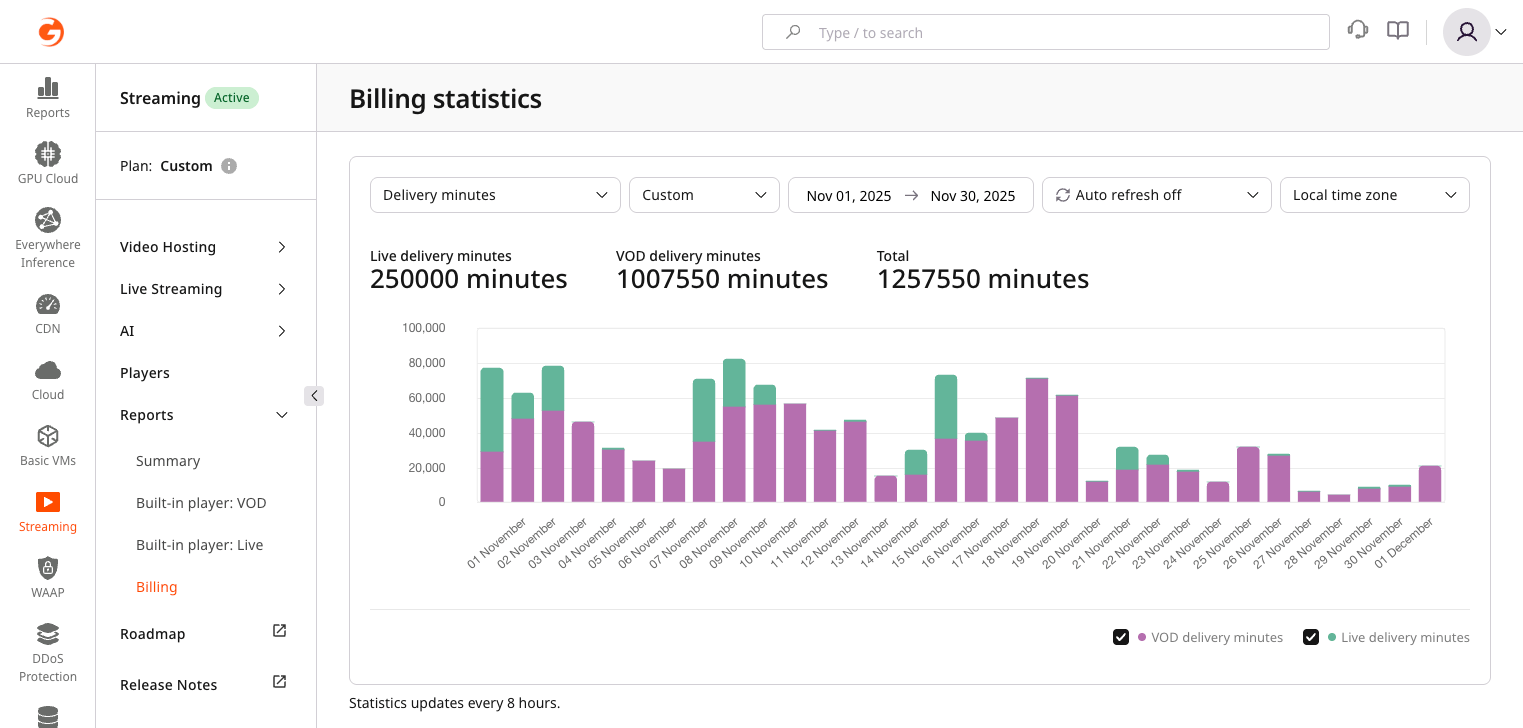
{your_id}.gvideo.io.
Transcoding, minutes tracks minutes spent transcoding live streams and VOD assets. Live and VOD transcoding are displayed separately for monitoring, while the invoice aggregates them into one line item. Basic transcoding profiles up to Full HD (1080p) are included by default; additional profiles may be billed separately according to the tariff plan.
Peak live-stream concurrency
The Simultaneous streams report plots the maximum number of live streams transcoded concurrently for each day. The highest daily value reached during the billing period is used for monthly billing calculations.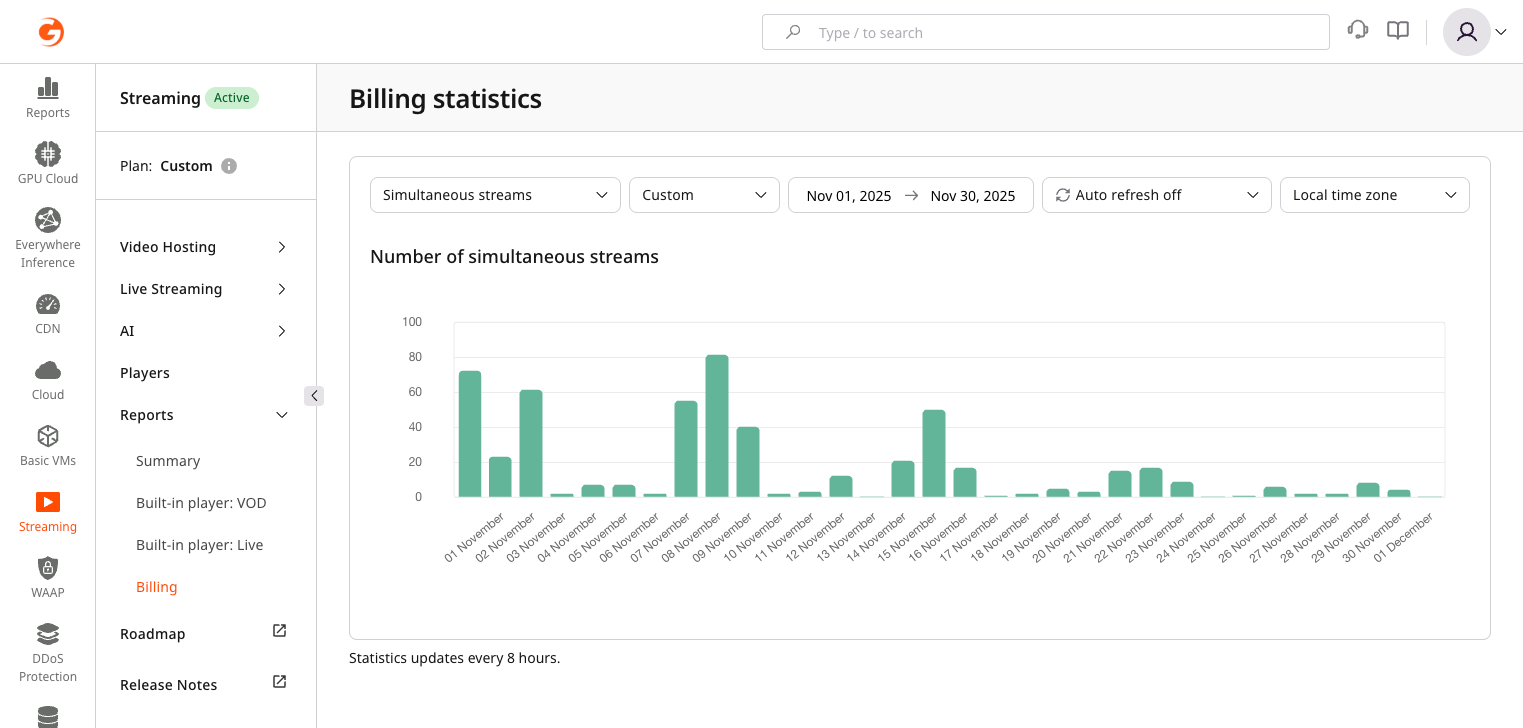
Video storage
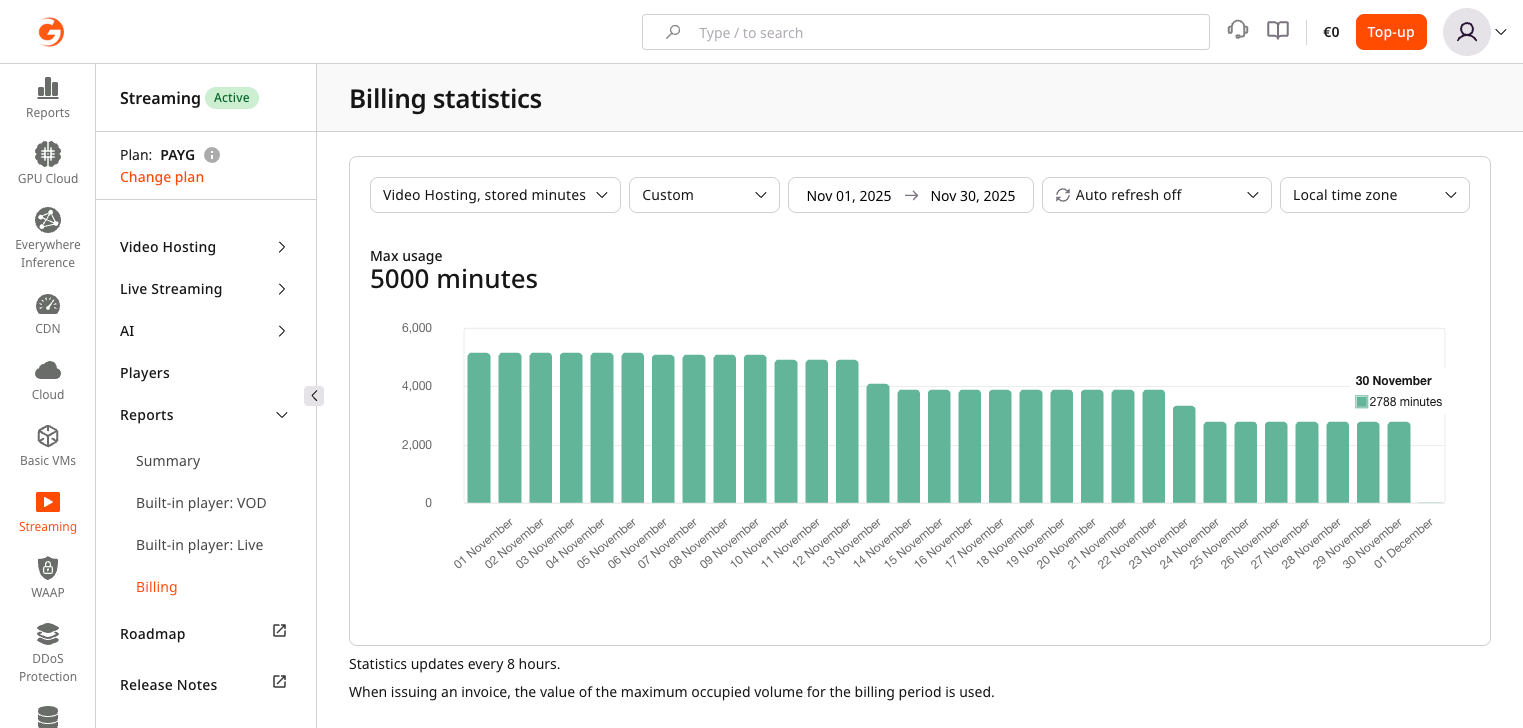
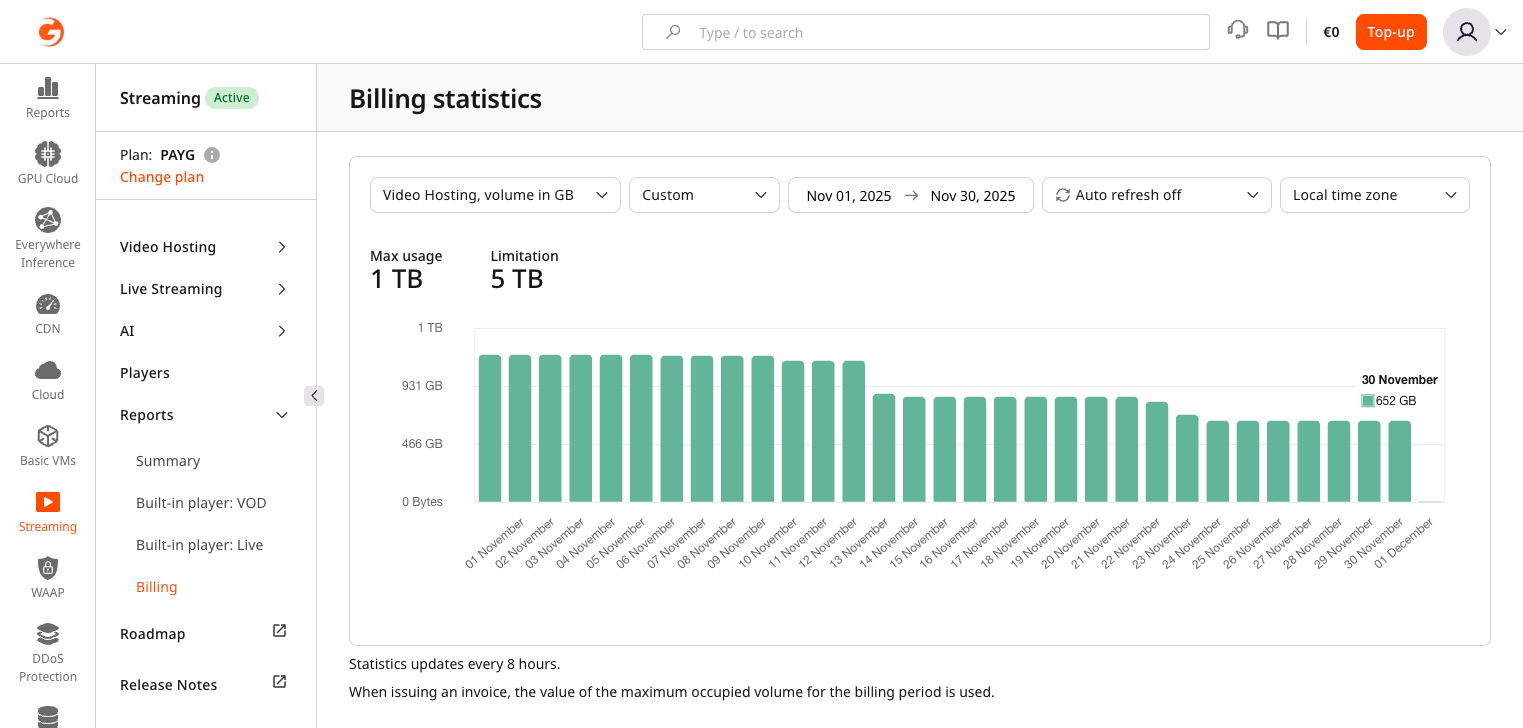
Gcore provides two storage metrics because they measure different things:
Both reports use a peak model: the highest value reached during the billing month is used for billing, not the end-of-month value.
For example, if 5,000 minutes of video are uploaded on the first day of the month and all assets are deleted on the second day, the monthly billing value is still 5,000 minutes because that was the peak storage usage during the period.