

Deletion overview
The Delete account section on the General information page shows these terms before the request is sent. Gcore sends a confirmation email when the deletion is complete.Deletion procedure
Submit the request from the General information page.1
Open account settings
In the Gcore Customer Portal, click the avatar in the top-right corner and select Profile.
2
Open the Delete account section
In the sidebar, navigate to Account > General information and scroll to the Delete account section. Click Delete my account.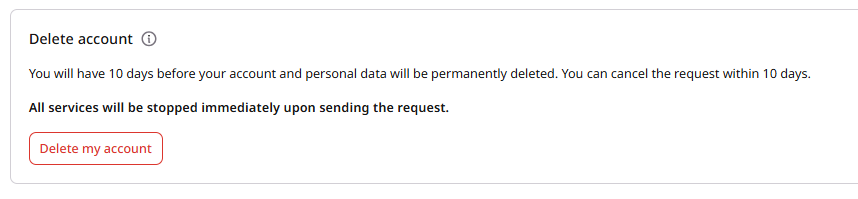
3
Complete the survey
Answer the survey, then click Delete.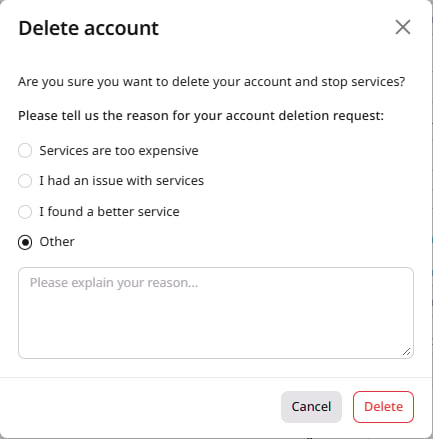
4
Confirm identity
The deletion request is accepted only after identity verification:
When the account uses 2FA or a password, successful verification activates the deletion request immediately. When the account uses OAuth or SSO and has no password, Gcore sends a confirmation email to the account email address, and the modal shows: “We’ve sent a confirmation link to your email, please check your inbox.”
5
Finish the email confirmation
This step applies only when the account uses OAuth or SSO and has no password. Open the link from the confirmation email:
- A valid token activates the deletion request and opens the account settings page.
- An expired, already used, or invalid token opens an error page. Return to account settings and submit a new request to receive a fresh confirmation link.