

Storyboard tiles
During transcoding, Gcore takes one screenshot from each video segment and combines the screenshots into a JPEG storyboard. Each screenshot is a tile used for a specific interval on the timeline. Storyboards are created automatically for all videos. This is the storyboard for the Blender Studio film Coffee Run: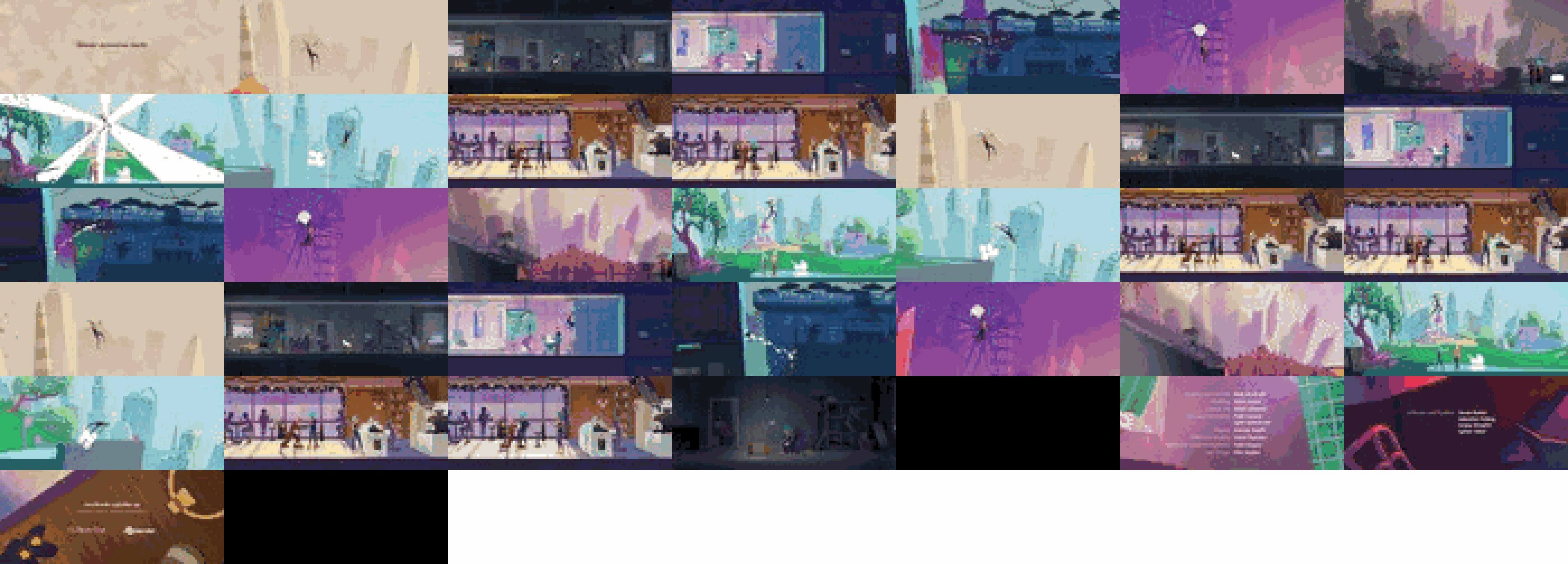
Adding timeline hover previews to players
The Gcore Player shows the tiles on its own. External players read the same tiles in one of two ways:WebVTT via API
The Get video response includes two fields for the storyboard:sprite: URL of the JPEG storyboard that contains the tilessprite_vtt: WebVTT data that maps video time ranges to tile coordinates in the storyboard
GET https://api.gcore.com/streaming/videos/{video_id}/
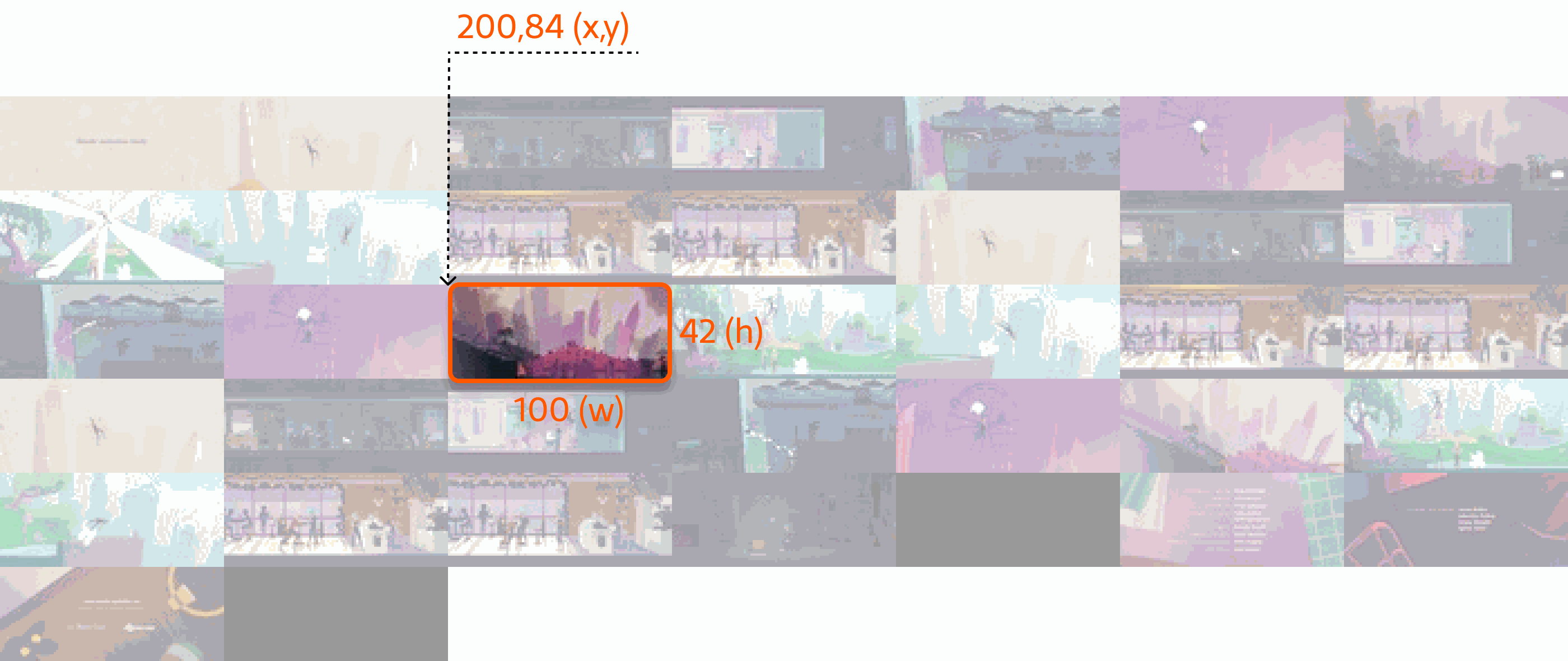
- Tile number:
17 - Time range represented by the tile:
00:01:20,000 --> 00:01:25,000 - Tile coordinates and size in the storyboard, in
xywhformat:xywh=200,84,100,42
Roku trick play via HLS
The Roku specification describes tiles embedded in an HLS manifest. Add the-img suffix to the master manifest URL to include tile information:
{client_id}: the account ID{video_id}: identifier of the video or live stream-img: optional suffix that adds tile information to the manifest
-img suffix adds #EXT-X-IMAGE-STREAM-INF to the master manifest. That tag points to a tiles manifest that contains the storyboard URL, tile dimensions, layout, and the duration represented by each tile.
A master manifest with the tile suffix: