

- In the left sidebar, navigate to Statistics.
- Click Access log.
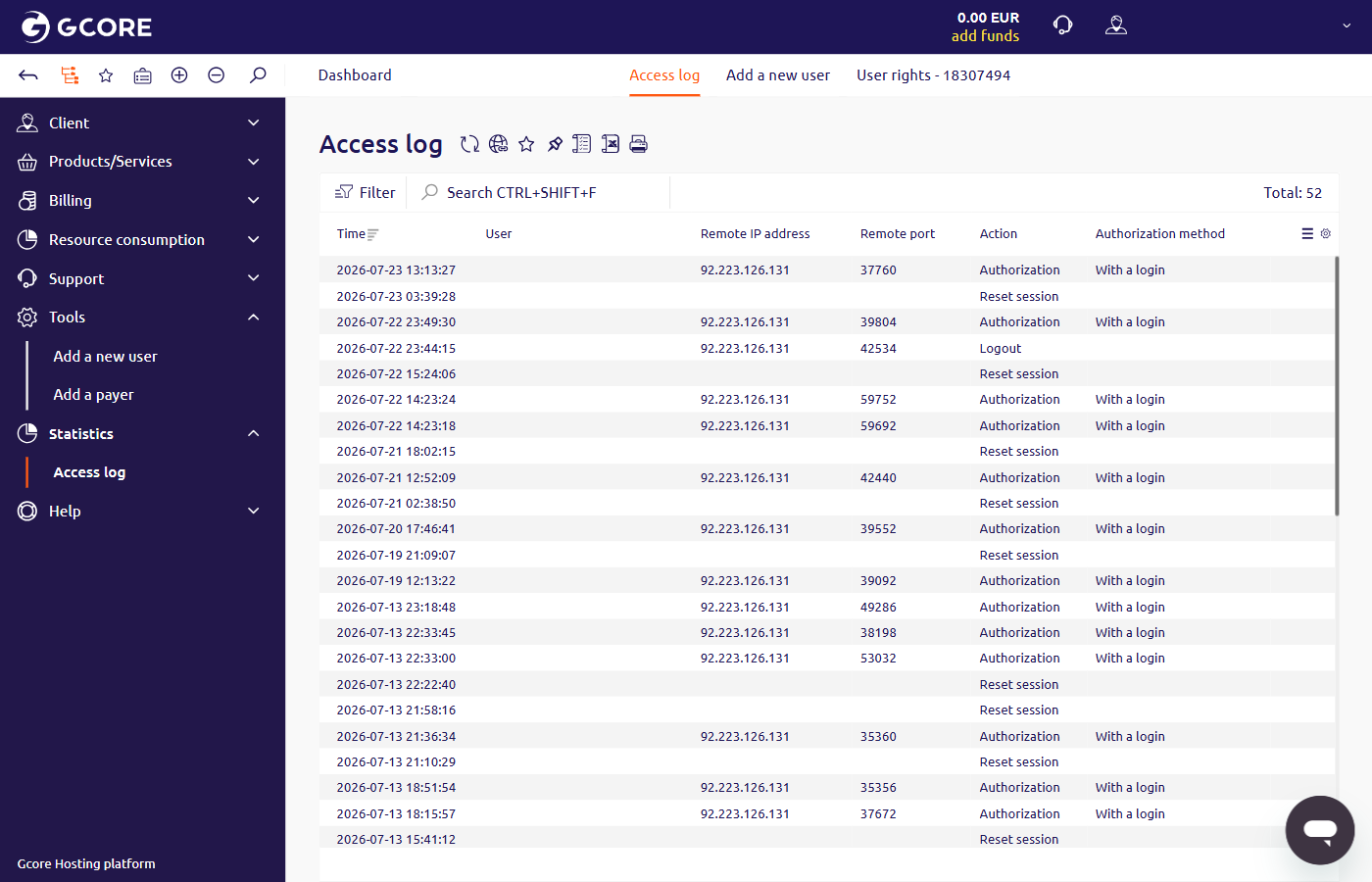
- Time — date and time of the event
- User — email address and account ID of the user
- Remote IP address — IP address of the device used to access the account
- Remote port — port used for the connection
- Action — event type: Authorization, Logout, or Reset session
- Authorization method — login method used for the event; “With a login” appears for standard logins