

Setup
- Install FFmpeg. Download instructions are available on ffmpeg.org.
- In the Gcore Customer Portal, navigate to Streaming → Live Streaming, then open the live stream settings for the target stream. In the URLs for encoder section, select RTMP and copy the Server URL and Stream Key values.
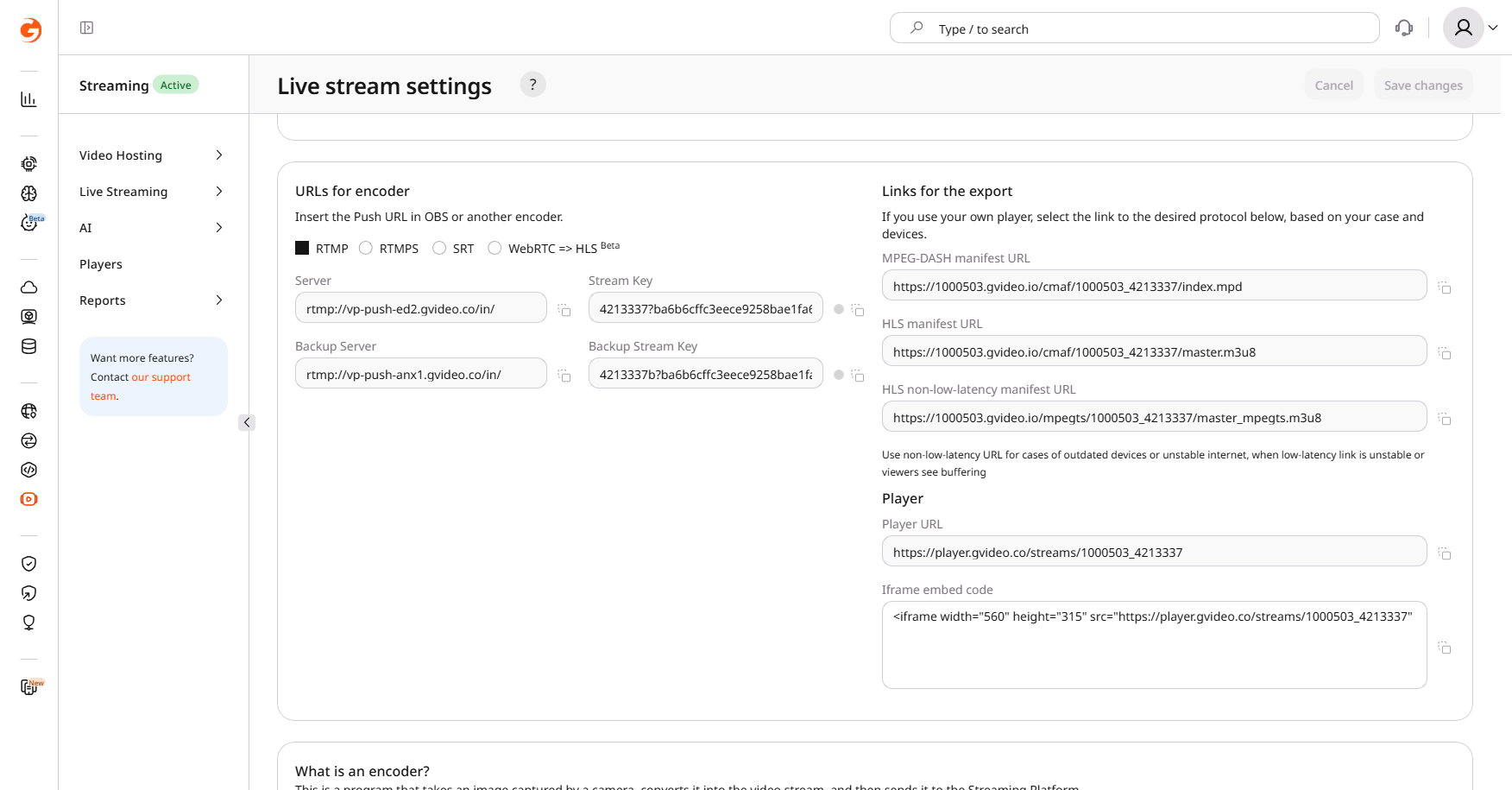
- Open a terminal and run FFmpeg with the input source and the RTMP URL:
{INPUT_OPTIONS} with the FFmpeg input flags for the camera, screen capture, or media file. Replace {RTMP_URL} with the URL formed in step 2.
Recommended encoding settings
Downscale resolution (optional)
To reduce the source resolution, replace-vf format=yuv420p in the main command with a combined filter chain that applies both scaling and pixel format conversion: