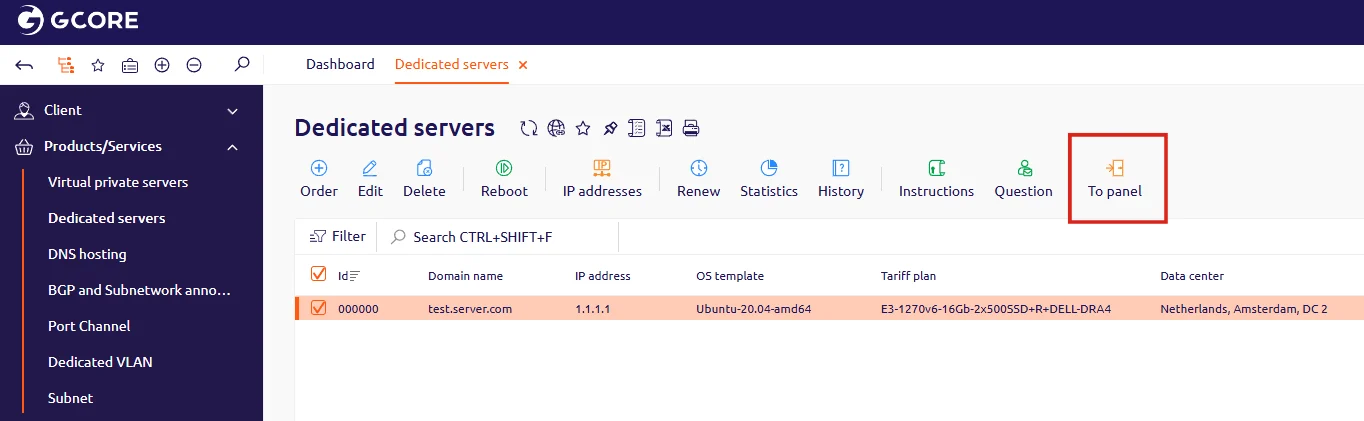
DCImanager is a control panel for managing dedicated server hardware. To open it, navigate to the Dedicated servers section in the Gcore Hosting Portal and click To panel. DCImanager opens in a new browser tab and authenticates automatically.
Dedicated servers list with the To panel button highlighted

Restart or power off the server

In DCImanager, navigate to Servers in the left navigation. Select the server from the list, open the actions menu (three-dot icon), and click Restart. To power off the server, select Power off from the same menu.
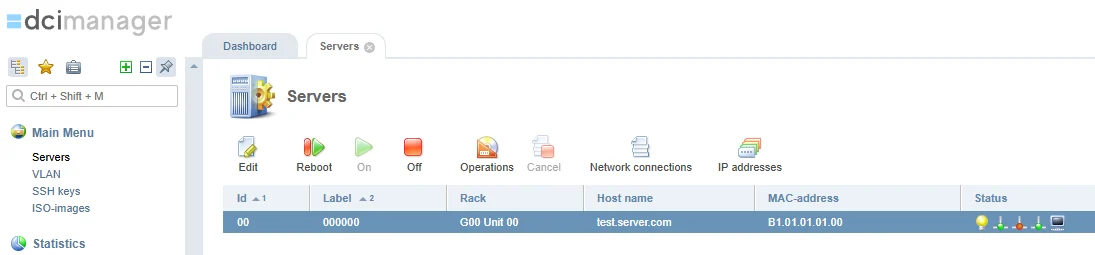
DCImanager Servers section showing available server actions
If DCImanager does not open or an error appears, contact technical support and attach a screenshot of the error.