A PTR record maps an IP address to a domain name — the reverse of an A record. PTR records are required for outbound email servers: incoming mail servers often reject messages from IP addresses without a matching PTR record, treating the absence as a spam signal.

Set up a PTR record

1

Open the server list

In the left-side menu, navigate to Virtual private servers or Dedicated servers.
2

Open IP addresses

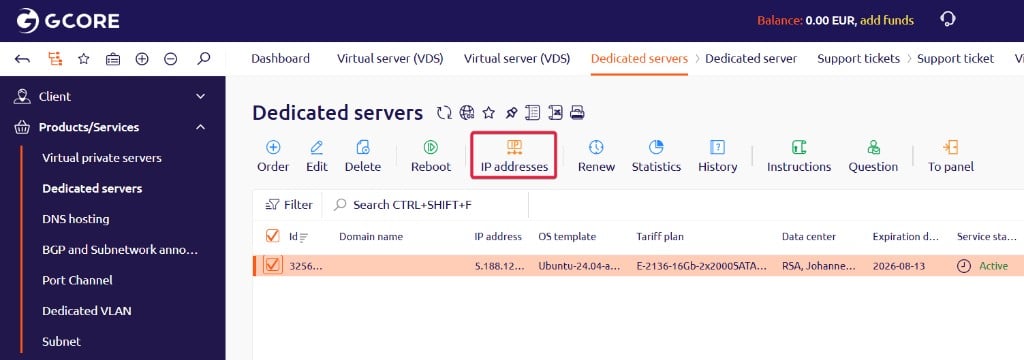
Select the checkbox next to the server and click IP addresses.
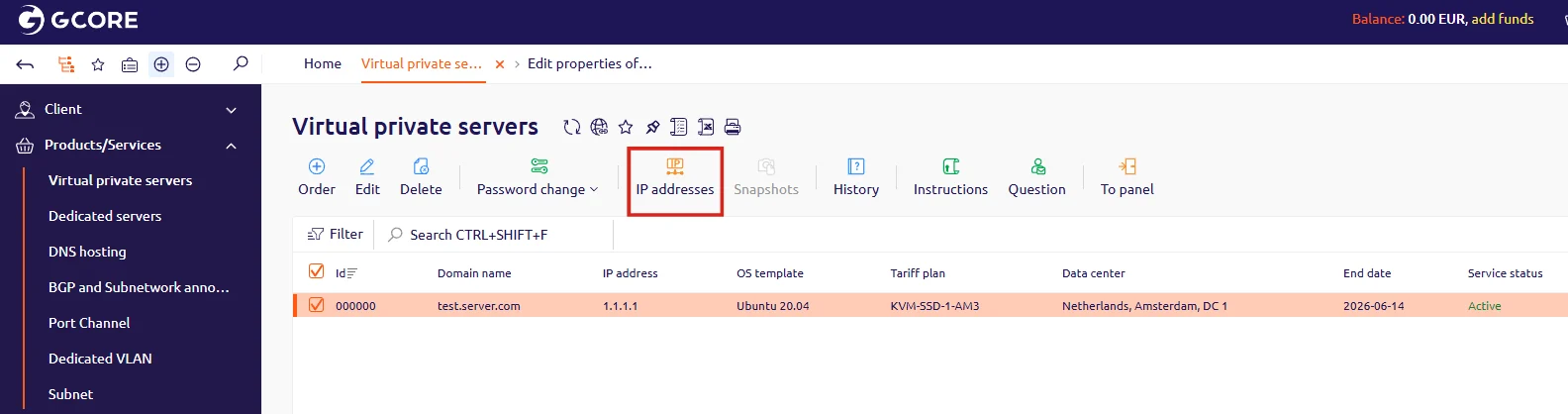
Virtual private servers list with the IP addresses button highlighted in the toolbar
Dedicated servers list with the IP addresses button highlighted in the toolbar
3

Edit the IP address

In the window that opens, select the checkbox next to the IP address and click Edit.
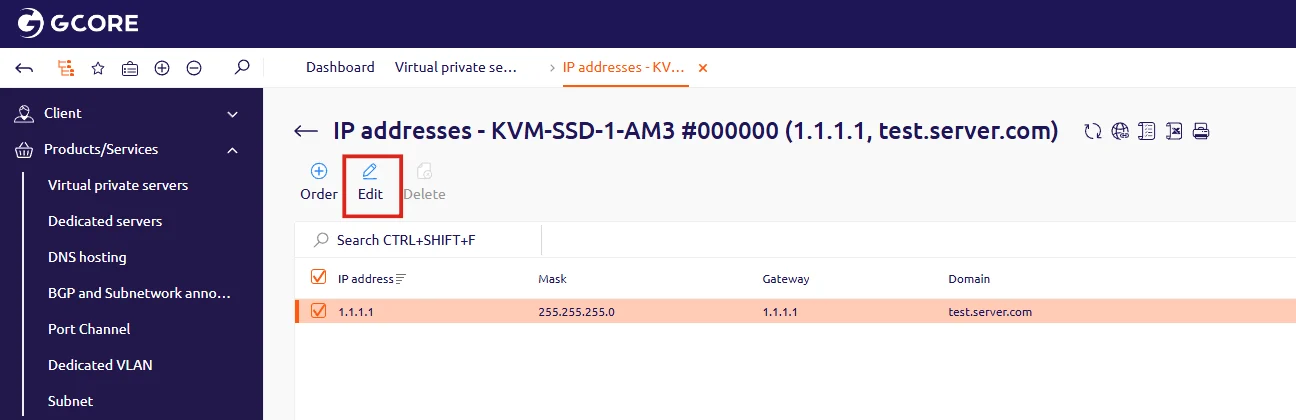
IP addresses list with the IP address selected and Edit button highlighted
4

Set the PTR record

Enter a domain name in the Domain field and click Ok. The PTR record is created automatically.
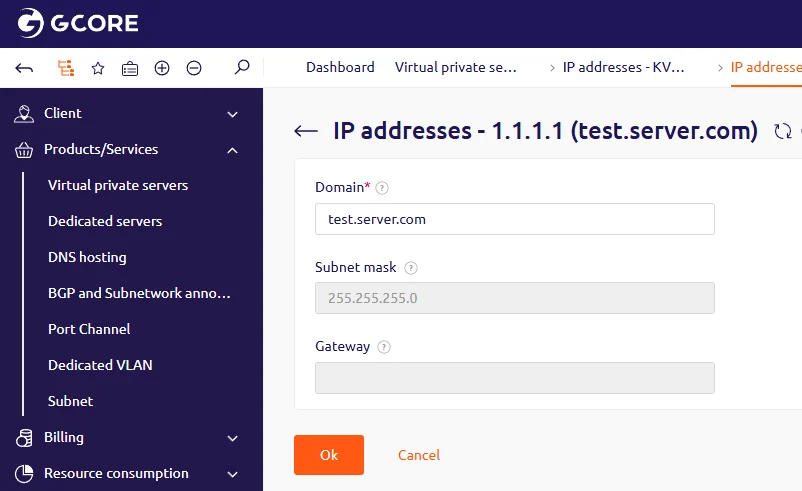
Domain field in the IP address settings